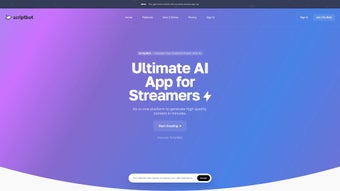

Download ScriptBot – AI Content Creation Tool, Script Generator, SEO Writer
Overview
ScriptBot is an AI‑powered content generation platform designed for creators, marketers, and busy professionals who need high‑quality scripts, copy, and analytics without the usual time‑consuming grind. Built on a modern machine‑learning engine, ScriptBot can transform raw ideas into polished scripts, produce keyword‑rich outlines, and even transcribe audio files into editable text—all from a clean, intuitive dashboard. Whether you’re crafting a YouTube video, drafting a product description, or summarizing a lengthy PDF, ScriptBot offers a one‑stop solution that blends speed, accuracy, and creativity.
Its built‑in analytics let you track engagement metrics, while custom templates and specialized prompts give you the flexibility to tailor output for different platforms—Instagram, LinkedIn, email newsletters, and more. The inclusion of an AI Plagiarism Checker adds an extra layer of confidence, ensuring every piece of generated content is original and ready for publication. In short, ScriptBot streamlines the entire content lifecycle, turning what used to be a multi‑tool workflow into a single, secure, and constantly updating app.
Key Features that Set ScriptBot Apart
- AI‑Driven Script Writing: Generate video scripts, podcast outlines, or webinar flows in seconds with context‑aware suggestions.
- Keyword Generation & SEO Optimization: Automatic keyword extraction and placement recommendations boost discoverability across search engines.
- Audio Transcription: Upload MP3, WAV, or other audio formats and receive accurate, time‑stamped transcripts ready for editing.
- YouTube Content Creation: Unique AI‑crafted video ideas, titles, descriptions, and tags tailored to your niche.
- PDF Summarizer: Upload lengthy PDFs and get concise, bullet‑point summaries that capture essential insights.
- Built‑In Writer: Produce product descriptions, social media posts, blog intros, and more with tone and style controls.
- Custom Templates & Prompts: Save reusable templates for recurring content types and fine‑tune prompts for specific platforms.
- AI Plagiarism Checker: Real‑time originality verification ensures every output passes strict plagiarism standards.
- Analytics Dashboard: Track word count, readability scores, engagement forecasts, and version history.
- Secure Cloud Sync: All projects are encrypted and synced across devices, allowing seamless collaboration.
Installation, Setup & Compatibility Guide
Getting started with ScriptBot is deliberately straightforward, reflecting the product’s promise to eliminate friction. Follow the steps below to download, install, and configure the tool for optimal performance on your operating system.
Step‑by‑Step Installation
- Visit the Official Download Page: Navigate to scriptbot.ai/download and select the installer that matches your platform.
- Choose Your OS: ScriptBot offers native installers for Windows 10/11, macOS 12+ (Intel & Apple Silicon), Android 8.0+, and iOS 13+. Click the appropriate button to begin the download.
- Run the Installer:
- Windows: Execute the
.exefile and follow the wizard prompts. Accept the license agreement, choose an installation folder, and click “Install”. - macOS: Open the
.dmgfile, drag the ScriptBot icon to your Applications folder, and launch it from Launchpad. - Android: Install the
.apkfrom the Play Store or side‑load the file after enabling “Install unknown apps”. - iOS: Download directly from the App Store; the process mirrors any standard iOS app installation.
- Windows: Execute the
- Create an Account: Upon first launch, you’ll be prompted to sign up with an email address or use single‑sign‑on via Google or Apple. A verification email ensures account security.
- Activate Your License: If you purchased a premium plan, enter the license key provided in the confirmation email. Free users receive a 7‑day trial of all premium features.
Configuration Tips
After installation, head to the Settings tab to customize language preferences, output formats (TXT, DOCX, PDF), and AI model depth (Standard vs. Pro). For teams, enable “Collaboration Mode” to invite members and assign role‑based permissions. ScriptBot also integrates with popular cloud storage services (Google Drive, Dropbox, OneDrive) – simply connect your account under Integrations to auto‑save projects.
Operating System Compatibility (Windows, macOS, Android, iOS)
ScriptBot has been rigorously tested on the latest OS releases. On Windows, it leverages .NET 6 for smooth performance, while the macOS version uses Apple’s Metal framework for accelerated AI inference. Mobile apps are built with Flutter, guaranteeing consistent UI across Android and iOS devices. Minimum system requirements include 4 GB RAM, 200 MB of disk space, and an internet connection for cloud‑based AI processing. Users on older hardware can enable “Lite Mode” to reduce CPU usage at the cost of slightly slower generation times.
Troubleshooting Common Issues
- App won’t launch: Verify that your OS meets the minimum requirements and that you have installed the latest security patches.
- Transcription errors: Ensure the audio file is clear and in a supported format; use the “Noise Reduction” filter before uploading.
- License not recognized: Double‑check the key for typos, and contact support via the in‑app chat if the problem persists.
Pros and Cons – A Balanced Look at ScriptBot
Pros
- All‑in‑one solution eliminates the need for multiple content tools.
- AI models generate highly relevant, platform‑specific copy.
- Robust transcription and PDF summarization save hours of manual work.
- Built‑in plagiarism checker guarantees originality.
- Cross‑platform compatibility (Windows, macOS, Android, iOS).
- Secure cloud sync and encrypted data storage.
- Custom templates accelerate recurring content creation.
- Free tier with a generous trial of premium features.
Cons
- AI generation relies on an internet connection; offline mode is limited.
- Premium pricing may be high for solo freelancers on a tight budget.
- Learning curve for advanced template customization.
- Large audio files can take longer to transcribe during peak usage.
- Some niche industry terminology may require manual tweaking.
Frequently Asked Questions
Is ScriptBot free to use?
ScriptBot offers a free tier that includes basic script generation, keyword suggestions, and limited transcription. A 7‑day trial of the full premium suite is also available, after which users can choose a monthly or annual subscription.
Can ScriptBot generate content in languages other than English?
Yes. ScriptBot supports multilingual generation for Spanish, French, German, Portuguese, and several Asian languages. Language selection is found in the Settings panel, and the AI adapts its tone and style accordingly.
How secure is my data when using ScriptBot?
All user data is encrypted both at rest and in transit using AES‑256 encryption. ScriptBot complies with GDPR and CCPA standards, and you can enable two‑factor authentication for added protection.
Does ScriptBot integrate with other marketing tools?
Yes. Native integrations include HubSpot, Mailchimp, Buffer, and Trello. You can also connect via Zapier to automate workflows such as publishing generated copy directly to your blog or social channels.
What kind of support does ScriptBot provide?
Premium users receive 24/7 live chat support and priority email response. Free users have access to a comprehensive knowledge base, community forums, and a ticketing system with a typical 24‑hour turnaround.
Conclusion – Why You Should Download ScriptBot Today
In a digital landscape where content speed and quality directly impact brand visibility, ScriptBot stands out as a secure, feature‑rich, and user‑friendly AI assistant. Its ability to generate scripts, transcribe audio, summarize PDFs, and check for plagiarism—all from one dashboard—means you can finally replace fragmented toolchains with a single, reliable solution. Whether you’re a solo creator looking to boost output, a marketing team needing consistent brand messaging, or an enterprise seeking scalable content automation, ScriptBot delivers measurable productivity gains. The free tier lets you test core functionalities without risk, while the premium plan unlocks advanced models and collaboration tools that grow with your needs. Download ScriptBot now, experience the future of content creation, and watch your workflow transform from tedious to effortless.



.png)



